
This is a div block with a Webflow interaction that will be triggered when the heading is in the view.
- A signature policy names the fields every signature carries, the disclaimers each regulated team needs, and who approves changes.
- Server-side deployment through a transport rule or the Gmail API covers every client and device; the Outlook add-in or Google Workspace Add-on shows the signature while composing. Use either or both.
- Keep signatures to four to six lines, web-safe fonts, hosted images with alt text, and a width that renders on a phone.
- GDPR, CAN-SPAM, and CASL each set specific requirements for the marketing content a signature carries.
- Banner campaigns are a low-CTR channel that pays at volume: measure with UTM parameters and rotate creative.

An email signature is the block of contact details, branding, and legal text appended to every message an employee sends. This guide covers what a professional signature contains, how to design one that renders on a phone, how to manage signatures centrally across Microsoft 365 and Google Workspace, how to run ad banner campaigns in them, and which compliance rules apply.
It is written for whoever has to make one decision for a whole company, not for someone styling a single mailbox.
Email signatures: the basics
What is an email signature?
Your mail client appends it to the bottom of the message without being asked. Most signatures carry a name, a job title, a company name and logo, one phone number, and a web address; many add a legal disclaimer or a marketing banner below that. The dull definition is a footer. The useful one is that it is the only piece of company-controlled design that reaches every recipient of every message, including the tens of thousands of one-to-one messages a year that marketing never sees and never approves.
Why email signatures matter
Three teams have a stake in the same twenty lines of HTML, which is most of the reason nobody owns them.
- Marketing wants a consistent brand and somewhere to put a campaign.
- IT wants one thing to maintain instead of a thousand.
- Legal wants the required disclosure present, current, and identical on every message that leaves the building.
Those three wants conflict often enough that most companies resolve them by not resolving them. That is how a 2,000-person organization ends up with 2,000 signatures, four logos, two versions of the disclaimer, and no way to find out which is which short of asking people to send screenshots.
Essential components
A professional signature carries eight things and stops.
- Full name, spelled the way it appears in the directory rather than the way the person types it
- Job title, current rather than aspirational
- Company name, with the logo if you use one
- One phone number, mobile or desk, not both
- Email address and the company web address
- Social profiles, but only for the accounts your company actually maintains
- A photo or logo, sized to load fast and still legible in dark mode
- Legal disclaimer, where the industry or jurisdiction requires one
Everything past that competes for attention with the message the reader opened the email to read. Pronouns, a favorite quotation, an environmental plea, three award badges and a second phone number are all defensible on their own and ruinous together.
Professional email signature examples
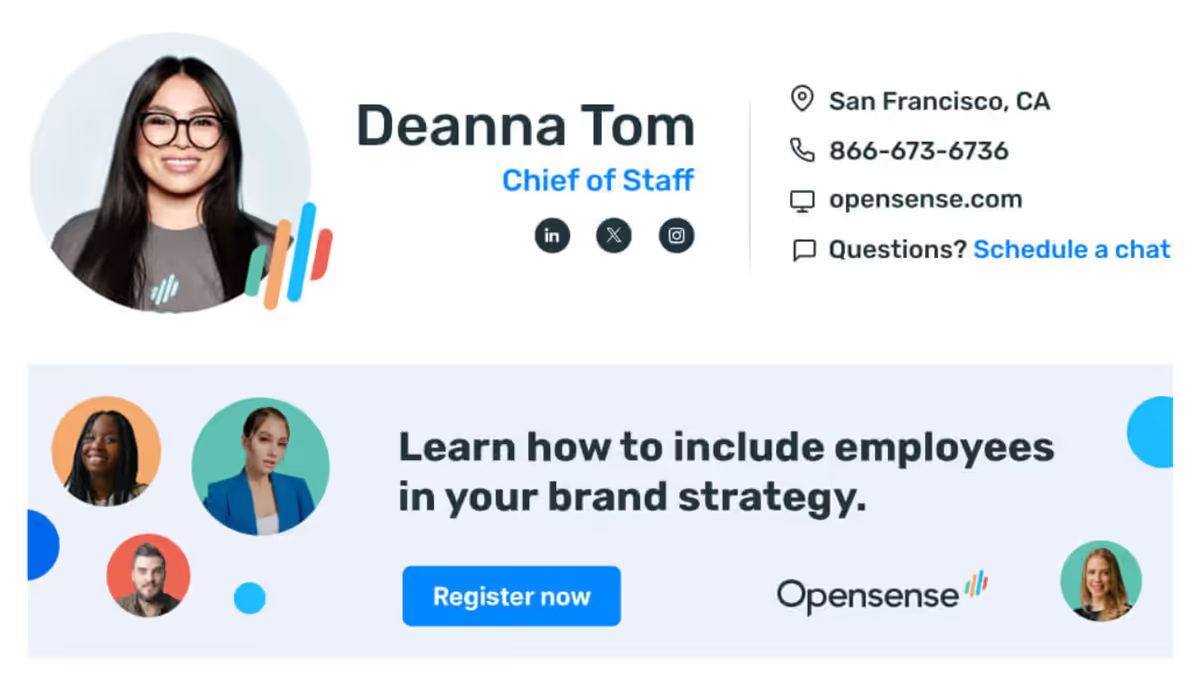
The example below shows the ordering most good designs settle on: name and title first and largest, contact details in a second block at a lighter weight, brand elements last and smallest. Nothing in it is decorative.
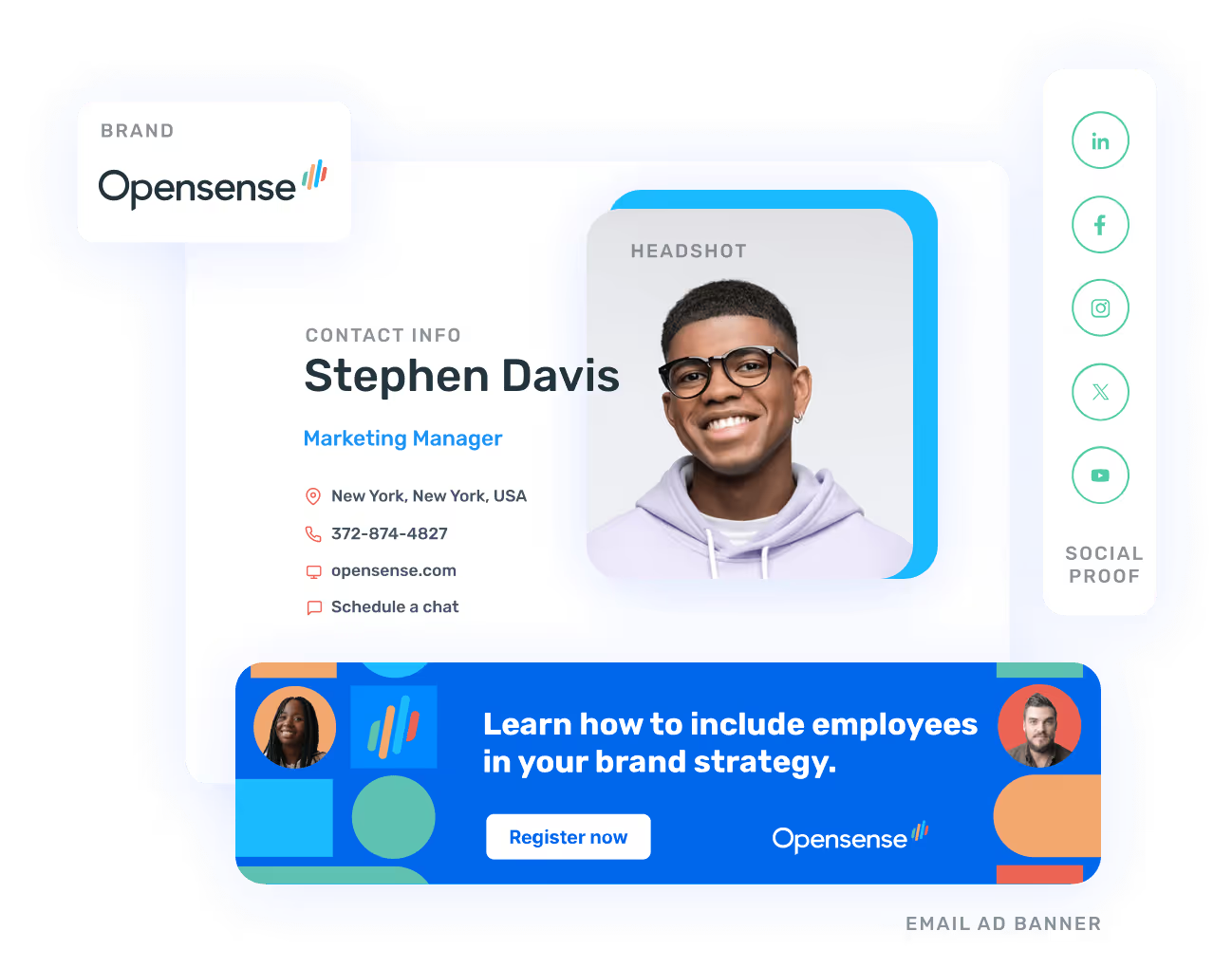
Several hundred more, sorted by industry and by role, sit in our template gallery. If you would rather build one than pick one, the free signature generator assembles a signature to these proportions in the browser.
Design principles
- Under about 150px tall, and four to six lines of text
- Web-safe fonts only (Arial, Helvetica, Calibri, Verdana, Georgia), because email clients do not reliably load a webfont and a signature set in one falls back to whatever the client picks, which is rarely what the brand guidelines say
- Two or three brand colors, not five
- Enough contrast to survive a white background and the grey Outlook paints behind quoted replies
The most common failure is not ugliness. It is length.
HTML vs. plain-text signatures
| Consideration | HTML | Plain text |
|---|---|---|
| Rendering | Varies by client; needs testing across Outlook, Gmail, and Apple Mail | Identical everywhere, including clients that strip markup entirely |
| Images and logos | Supported, though Outlook desktop and many corporate clients block remote images on first open | None; a bare web address is the only visual anchor available |
| Tracking | Links carry UTM parameters and a platform can report clicks per campaign | A URL can carry UTM parameters, but nothing reports on the banner because there is no banner |
| Accessibility | Fine when the markup uses real table structure and alt text; hostile when it does not | Read cleanly by every screen reader with no work at all |
| When to use | The default for external mail, where branding and campaigns matter | The fallback part of every multipart message, and the safer choice for high-volume automated mail |
The answer for most organizations is both. A well-formed message carries a multipart body with the plain-text alternative alongside the HTML, and the receiving client picks. Building only the HTML half means the fallback is whatever your mail system generates by stripping tags, which is how a signature ends up arriving as a column of naked URLs.
Mobile optimization
Phones are where signatures break, and they break silently, because the sender is looking at the compose window on a laptop.
Common mobile display issues
- Screens between roughly 320px and 430px wide, so a fixed-width table wider than that either forces a horizontal scroll or gets shrunk to fit until the text is unreadable
- Rendering differences between iOS Mail, Gmail for Android, Outlook mobile, and Samsung Email, each with its own engine and its own opinions about tables
- High-density displays, which turn a 1x logo into something visibly soft
- Dark mode, where a dark logo on a transparent background simply disappears
- Viewport scaling, which overlaps elements whenever the layout depends on absolute positioning
Mobile optimization checklist
- Table-based layout with a max-width rather than a fixed width
- 14px minimum for body text, 18px or larger for the name
- Tap targets of at least 44 by 44 points, the floor in Apple’s Human Interface Guidelines
- 2x images, still under 100KB each
- Checked in iOS Mail, Gmail mobile, Outlook mobile, Samsung Email, and Yahoo Mail
- Legible in both light and dark mode
- Relative positioning, so elements stack instead of overlapping when the column narrows
The test that catches the most is the cheapest: send it to yourself and read it on your own phone before anyone else has to.
Email signature management software
At a certain headcount, the signature stops being a design problem and becomes a deployment problem. Management software owns the second half. Templates live in one place, the values inside them come from the directory, and outgoing mail carries the current version whether or not the sender did anything at all.
The size at which this flips is lower than people expect. Around fifty employees the manual approach starts producing a steady trickle of tickets: a new hire with no signature, a promotion with the old title, someone whose logo arrived as an attachment called image001.png. Around five hundred, nobody in the building can tell you what the company footer looks like today.
Client-side vs. server-side signatures
| Consideration | Client-side (add-in) | Server-side (transport rule or Gmail API) |
|---|---|---|
| Where the signature is applied | Inside the mail client, while the message is being composed | On the mail platform, as the message leaves the tenant |
| What the sender sees | The signature in the compose window, and a choice between templates | Nothing; the signature appears on the delivered copy |
| Device and client coverage | Outlook via the Outlook add-in, Gmail via the Google Workspace Add-on; only where the add-in runs | Every client and every device, phones and third-party apps included |
| Install effort | Outlook: pushed to each desktop through your device management | One transport rule in Exchange Online, or the Gmail API connection on Google Workspace |
| Best for | Teams that need to see and pick a signature before sending, or tenants where a transport rule will not be approved | Company-wide consistency, mobile coverage, and anything a compliance obligation depends on |
Opensense deploys either way, or both together: an Exchange Online transport rule on Microsoft 365, the Gmail API on Google Workspace, the Outlook add-in or the Google Workspace Add-on on the client side. One caveat from the product pages is worth repeating, because for some buyers it decides the architecture. The server-side path needs that transport rule, and some security teams will not approve one. If yours is among them, the add-in is your path, and mail sent from clients the add-in cannot reach goes out unsigned.
Key features to look for
- Directory sync, so a title change propagates without anyone editing a template
- Per-group templates keyed on department, region, or legal entity
- Server-side and client-side deployment, ideally both, so the architecture decision is not forced on you
- Banner campaigns with scheduling, rotation, and targeting by sender group
- Click reporting per banner and per campaign, exportable into the CRM you already run
- Disclaimer management assigned by group rather than pasted per person
- A documented security posture: SOC 2 Type II, a GDPR data protection agreement, SSO through your identity provider
- A pilot group, so one department can run the new signature for two weeks before the whole company does
How to choose the right solution
Start from the constraint rather than the feature grid. If mail sent from phones and third-party clients has to carry the signature, you need the server-side path, and the rest of the comparison is secondary. If your security team will not route mail through a vendor, the add-in is the only option available and narrower coverage is the price you are agreeing to pay.
Once the architecture is settled, the shortlist turns on five things:
- Directory integration against the identity provider you actually run, not the one on the vendor’s slide
- Per-group template control, so a regional entity or a regulated team can differ without a second contract
- Campaign scheduling and reporting, if marketing intends to use the channel at all
- Compliance documentation your legal team will read rather than skim
- Support terms in the timezone your administrators work in
Then test on your own tenant. Every vendor demo renders beautifully on the vendor’s tenant.
If the shortlist already has names on it, we publish a comparison against each of the main vendors. We wrote those pages, so read them the way you would read any vendor’s comparison of itself, and settle the disputed rows in the trial rather than on the page.
Implementation and cost
Most Opensense deployments are live in 45 minutes: connect the tenant, authenticate against Entra ID or Google Directory, build a template, assign it to a group, switch it on. What takes longer is everything around that. A transport rule can wait on a security review. Pushing the Outlook add-in to every desktop takes as long as your device management takes. Agreeing internally on what the signature should actually say has been known to consume a quarter, and no software shortens that part.
Pricing is per user per month, and three things move it: seat count, whether the deployment is server-side, and whether you want the campaign and analytics tiers on top of plain signature management. Opensense publishes three signature plans, Signature, Pipeline, and Complete, on the pricing page. It also publishes the part a small team should read first: every plan carries a $500 monthly minimum, so a twenty-person company pays the floor and not the seat rate.
Where signature software is heading
Two shifts are visible from where we sit. Personalization is moving from sender attributes to recipient context, so the banner a prospect sees differs from the one a customer sees on mail from the same person on the same day. And reporting is being asked to reconcile against pipeline instead of clicks, which is a harder question, and the one buyers now raise on the first call rather than the fourth.
AI-assisted template design gets a lot of airtime. It writes a decent first draft, it does not know your disclosure requirements, and it will confidently invent a registration number. Treat it as a junior designer with no legal training.
Advanced email signature features
Dynamic content
Dynamic content is any part of the signature filled in at send time rather than baked into the template. Directory attributes are the ordinary case: name, title, office, phone. The interesting case is the banner, which can change by sender group, by date, or by campaign without anyone touching the signature itself, which means marketing can run a campaign without filing an IT ticket.
Countdown timers and live counters exist and demo well. They also depend on a remote image loading at the moment the message is opened, which Outlook desktop blocks for a sender the recipient has not trusted and plenty of corporate clients block by policy. Useful for a launch week. Not a foundation.
Interactive elements
The usual set is a booking link, social icons, and a call-to-action button. Two rules keep them from doing harm. Keep the total link count low, because a signature carrying nine links reads as machinery rather than a person and contributes to a spam score on the way. And make every element work as a plain link, because nothing inside an email body runs JavaScript, and a button that is really a script is a button that does nothing.
Centralized management
Central management is what turns a rebrand from a project into an edit. One template, one save, and the next message every employee sends carries the new mark.
The part that quietly pays for itself is the disclosures. When legal changes the wording, it changes in one place. Nobody sends a company-wide email asking people to update their own footer, nobody chases the people who ignored it, and nobody discovers six months later that an entire regional office is still shipping the old text.
When you need multiple signatures
One template for the whole company is the right place to start and rarely the place you finish.
Common scenarios
- Internal mail, where colleagues need neither the full contact block nor the disclaimer
- External mail, where they need all of it, including the parts legal insists on
- New messages against replies, so a long thread does not accumulate five copies of the same footer
- Shared mailboxes such as support@ or sales@, which represent a team rather than a person
- Regional entities with their own registered name, address, and language
- Send-as and send-on-behalf, where the signature has to make both identities clear
Managing variants
Variants multiply faster than anyone plans for. What keeps the count honest is assigning them from directory groups rather than letting people pick, plus a naming convention strict enough that an administrator can tell what a template is for without opening it. Somewhere around a dozen, start asking which variants exist because a requirement demanded them and which exist because somebody asked nicely in a meeting.
ABM and targeted campaign strategies
For account-based programs the signature has a property no other channel has: the message is already going to the account, it is sent by a person the recipient recognizes, and the banner costs nothing per impression. What it cannot do is reach anybody your team is not already emailing, which rules it out as a prospecting channel and makes it unusually good at the middle of a deal.
Eight ABM campaign ideas
- A named-account event invitation, live only under the signatures of the reps who own those accounts
- An industry case study matched to the recipient’s vertical rather than to your product line
- Executive thought leadership, running under the executives’ own signatures where it is credible
- A product launch banner scoped to the segment the launch actually applies to
- An ROI calculator or assessment tool, for accounts already in evaluation
- A closed-list webinar invitation for a defined account set
- A customer story under the customer success team’s signatures, on renewal accounts
- A conference meeting-booking link, live for the two weeks either side of the event
Industry playbooks
Three of ours go deeper on a specific motion:
- Email signature strategies for targeted ABM campaigns
- The brand opportunity most mortgage companies miss
- Score big with email signature marketing, written for sports teams
Two verticals have a page of their own: mortgage teams, where the constraint is compliance long before it is creative, and senior living operators, who sit close enough to healthcare to inherit its wording problems.
Email ad banners guide
What are email ad banners?
A banner is an image and a link sitting below the signature block. Every message an employee sends carries it, which turns ordinary one-to-one correspondence into a placement.
The arithmetic is what makes the channel interesting, and the same arithmetic is what makes it pointless below a certain size. Impressions are headcount multiplied by how much mail those people send, and nothing else. There is no budget lever, no bid, and no way to buy your way to more of them this quarter.
Banner best practices
Most of what goes wrong here is dimensional rather than creative.
- 500 to 600px wide and 80 to 100px tall, so the banner sits under the signature instead of dominating the message
- Under 100KB, hosted over HTTPS on a domain you control
- One message and one call to action; a banner is a road sign, not a landing page
- Readable at the size it will really render, which on a phone is roughly half what you designed
- Alt text that carries the offer, because for a first-time recipient in Outlook desktop, and anywhere corporate policy blocks remote images, a blocked image is the first impression
- Rotated on a schedule, so the same 200 contacts are not still looking in March at the webinar they ignored in January
Hitting those dimensions by hand is fiddly. The banner designer builds one from a text prompt at the sizes above, which beats briefing a designer for a campaign that runs three weeks.
Campaign examples by marketing type
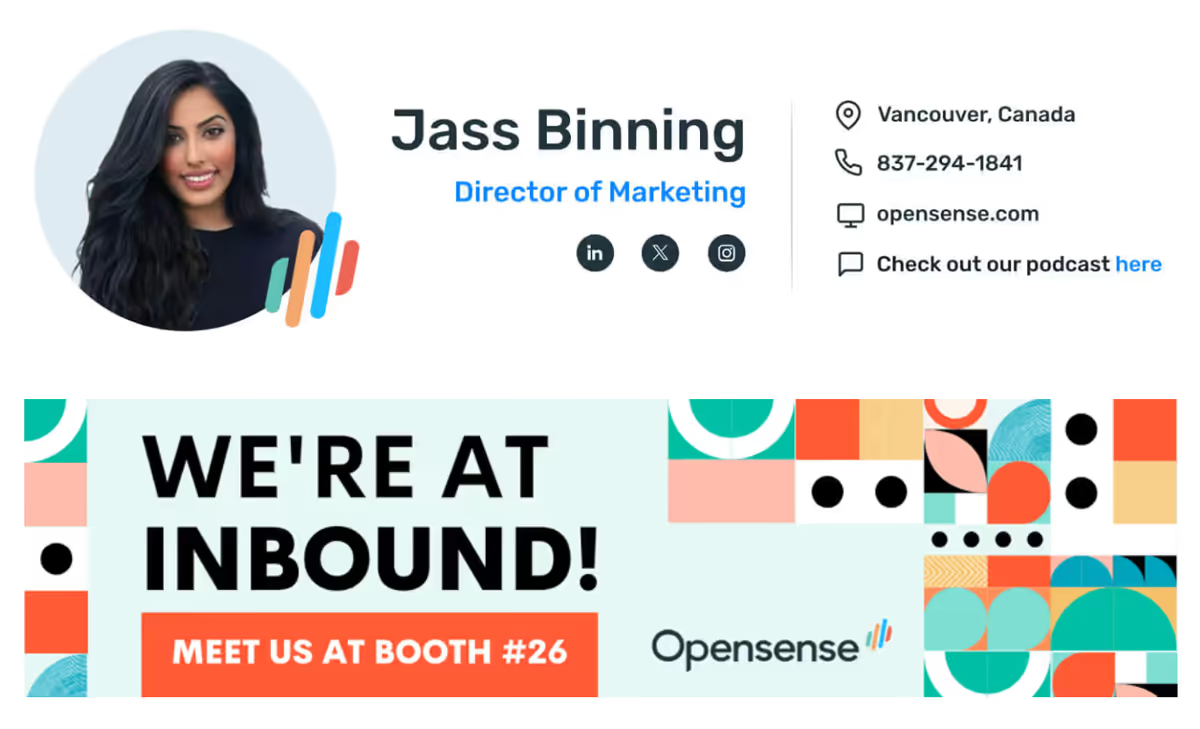
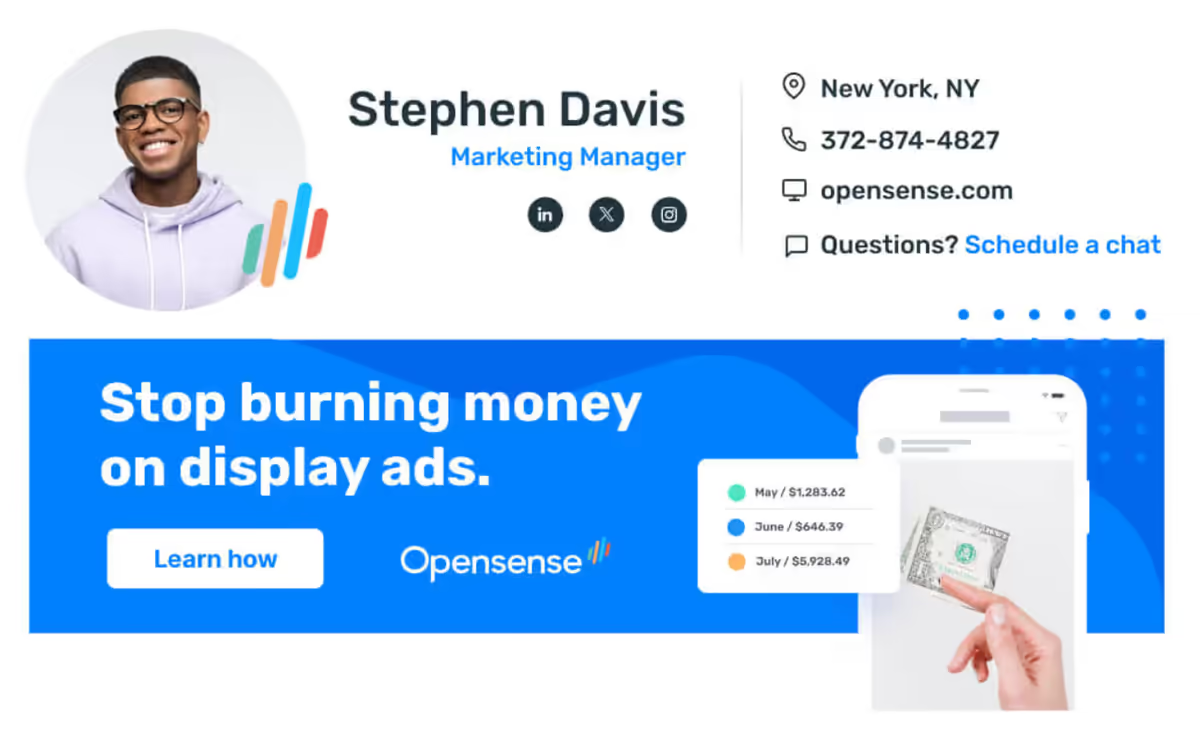
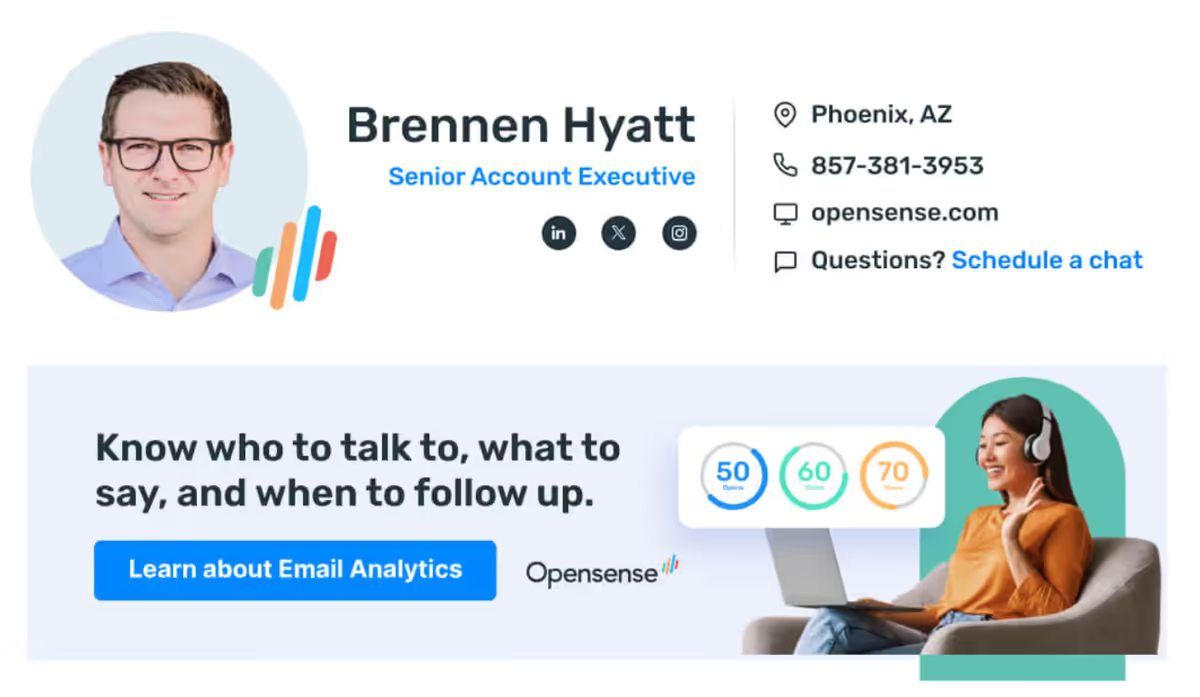
Four campaigns from Opensense customers, one for each of the motions marketing teams run through this channel. More of them sit in the email ad banner examples gallery.
Technical implementation
Host the image on infrastructure you control, over HTTPS, on a domain that already sends authenticated mail. Put the tracking parameters in the destination link rather than the image URL. Give the image alt text that means something on its own. Then check the whole signature, banner included, in the clients your recipients use rather than the one you use.
Two details are easy to get wrong and expensive to fix afterwards. A banner served from a link shortener or a domain with no sending history is a deliverability problem waiting for a busy quarter. And image URLs need to be stable, because replacing artwork in place is invisible to anyone whose client already cached the old file, which includes the colleague who just reported the bug.
Measuring banner performance
Without measurement a banner program is decoration with a workflow attached to it.
Key metrics
- Impressions, which is the number that has to be large before any of the others mean anything
- Click-through rate per banner, compared against your own history rather than an industry average of unknown provenance
- Conversion rate from the click to the action you actually wanted
- Performance split by recipient type, because prospects, customers, and colleagues behave nothing alike
- Attribution into the CRM, so a banner click lands on the opportunity record and can be argued about later
UTM parameters
Tag every banner link. The structure that survives contact with an analytics team looks like this:
https://yoursite.com/webinar?utm_source=email-signature&utm_medium=banner&utm_campaign=q1-webinar&utm_content=sales-team
The ROI calculator runs these numbers the other way, from impressions and a click rate to what the campaign actually returned. That is a shorter argument to have with finance than a pilot is.
Hold utm_source and utm_medium constant forever, vary utm_campaign per campaign, and use utm_content to separate sender groups or creative variants. Never put anything that identifies an individual recipient in a UTM parameter; it ends up in analytics exports that were never scoped for it.
Signature banners are a small-click-rate channel. A single banner in front of one sender’s contacts moves nothing; the channel pays when a few hundred senders carry a rotating campaign for a quarter and the clicks are measured against the deal list. If your team is under fifty people, a well-built signature without a banner is usually the better investment.
Banner campaign ideas
The campaigns that work fall into four buckets, and the useful exercise is choosing which one the coming quarter needs rather than running all four at once and diluting every one of them.
- Demand: product launches, webinar registration, content downloads
- Events: conference invitations, booth locations, training sessions
- Proof: review requests, customer stories, award announcements
- Brand: hiring, company news, a point of view worth reading
Review requests deserve a warning. A banner asking for a G2 review, running under the support team’s signatures, reaches customers at exactly the moment they are already dealing with you about something. That is either the best timing available or the worst, so scope it to accounts that have had a quiet quarter.
Email compliance requirements
Legal requirements overview
Three regimes cover most companies, and they overlap awkwardly: GDPR for anyone corresponding with people in the EU, CAN-SPAM for commercial mail to US recipients, CASL for Canada. None of them is about signatures as such. All of them govern what a message must carry once it counts as commercial, which a banner promoting a webinar generally makes it.
The only legal advice in this guide is procedural. Have counsel write the disclosure text, and put the words they give you in the template rather than in a wiki page nobody opens.
Key regulations: GDPR, CAN-SPAM, and CASL
| Regulation | Applies to | What the signature must carry | Penalty |
|---|---|---|---|
| GDPR | Any organization processing the personal data of people in the EU, wherever the organization is based | A lawful basis for any marketing content, a working opt-out, and transparency about tracking | Up to €20 million or 4% of worldwide annual turnover, whichever is higher (Art. 83) |
| CAN-SPAM | Commercial email sent to recipients in the United States | Accurate sender identification, a valid physical postal address, and a visible opt-out route honored within 10 business days (15 U.S.C. §7704(a)(4)(A)) | Civil penalties assessed per individual message by the FTC |
| CASL | Commercial electronic messages sent to recipients in Canada | Sender identity and contact details, plus an unsubscribe mechanism in every message; implied consent lapses two years after the transaction that created it (s.10) | Up to CAD 10 million per violation for an organization (s.20(4)) |
The table leaves out one detail that decides whether an opt-out is legally an opt-out. Under 16 CFR §316.5 the opt-out route itself may not charge a fee, may not demand any information beyond an email address and the recipient’s preference, and may not require any step other than replying or visiting a single page. An unsubscribe that sits behind a login is not an unsubscribe.
Signature compliance checklist
- The registered company name, and the address that appears on the register rather than the one on the office door
- A company registration number, where the jurisdiction requires one
- Contact details a recipient can act on
- The disclosure your regulator requires, in the wording counsel approved
- A confidentiality notice where staff handle sensitive material
- An opt-out route for any marketing content in the signature, working and honored
- A tracking practice your privacy policy actually describes
- A review date, because none of the above stays correct on its own
Industry-specific requirements
- Financial services: registration details and risk wording that differ per entity and per country, which is why this is the sector where per-group disclaimers stop being a convenience
- Healthcare: HIPAA confidentiality notices, plus a settled decision about whether the mail path itself is acceptable for protected health information at all
- Legal: attorney advertising rules in every state where the firm practices, and a privilege notice
Two further constraints arrive before the wording does. Public sector and defense suppliers run in Microsoft 365 GCC High, and a vendor that cannot operate inside it is off the list whatever its feature grid says. Everyone else eventually receives the security questionnaire, which is what our security page exists to answer.
Enterprise success stories
United Wholesale Mortgage moved roughly 8,200 employees and a few hundred contractors onto Opensense with, in their systems administrator’s words, virtually no downtime. The reason they switched was smaller than the headline. Headshots. Their previous tool needed a manual upload per person, and UWM was hiring 500 people a week, so the signature had become a recurring job nobody wanted. The full case study has the detail, including what the migration itself involved.
Snowflake ran its account-based program through the same channel, coordinated with RollWorks. The Data Cloud World Tour banner returned a 4.82% click-through rate across 287,713 impressions, and a follow-up banner aimed at post-event engagement returned 6.9% across 141,054. The rates are the headline; the impression counts are the reason the rates were worth measuring. Read how they scaled it.
Email signature best practices for 2026
Design and content
The layout rules sit in design principles above and have barely moved in a decade. What moved is the environment those rules render into, and three changes there now decide more than the design does.
- Ship two logo assets, one for light backgrounds and one for dark, or set the logo on a solid tile. A single transparent PNG is why a signature that looked right in the editor arrives as a dark smudge. Our own brand guidelines carry the pair for this reason; yours should say which file goes where.
- Design the image-off state first. Outlook desktop blocks remote images until the recipient trusts the sender, and plenty of corporate clients block them by policy, so a good number of recipients see the version with every image missing before they ever see the designed one.
- Put a ceiling on the length of the disclaimer. Legal adds clauses and nobody ever removes one, and a disclaimer running longer than the message it follows is worth reopening with counsel rather than absorbing for another year.
Test all three before rollout, and test the version the recipient receives rather than the one the editor previews.
Functionality and performance
- Every link over HTTPS, pointing at a domain you control
- Images on a CDN with a long cache lifetime and a stable, versioned URL
- Real alt text on every image, banner included
- Tracking your privacy policy describes and your legal team has read
- Contact details audited against the directory on a schedule rather than when somebody complains
The audit is the item everybody skips. A directory that has drifted produces signatures that are wrong in a way nobody reports, because the person carrying the stale title is the one person who never reads their own footer.
Compliance and ethics
Carry what the law requires and be plain about what you are doing. If the signature tracks clicks, the privacy policy should say so in language a person can follow, and the opt-out should work on the first attempt rather than the second.
The line worth drawing internally is around per-person reporting. Telling marketing that a campaign got 4,000 clicks is analytics. Telling a sales rep that a named recipient opened their message four times last Tuesday is closer to surveillance, and it is better to decide which one you are running before somebody in HR decides for you.
Email deliverability considerations
Signatures rarely cause a deliverability problem on their own. Domain reputation, SPF, DKIM, DMARC, and how recipients engage with your mail decide almost all of it.
What can still hurt
- Too many links, shortened ones especially; five is a sensible ceiling for a signature
- Embedded images, which inflate the size of every single message the company sends
- Broken HTML, which filters read as an attempt to hide something
- Image hosts on domains with no sending history behind them
- Heavy tracking, which several privacy-focused clients now treat as a signal in its own right
What to do about it
Keep the signature small and well-formed, host the images on the authenticated domain, and check a spam score before a rollout rather than after one. If deliverability is already poor, the signature is not the cause, and a day spent on the authentication records will move the number further than a year of design work.
Continuous improvement
Signature programs decay quietly. Titles go stale, a campaign runs six months past the event it advertised, a disclaimer cites a regulation that has since been amended, and nobody notices because nobody is looking at their own footer.
A quarterly pass is enough. Four things, in this order:
- Pull the click report and read it against your own previous quarter, never against a published benchmark
- Retire whatever is underperforming its own history
- Spot-check five signatures against the directory records they are supposed to be drawing from
- Ask legal whether any of the disclosure wording has moved
It takes an afternoon per quarter, which is the difference between a channel and a relic.
What a company email signature policy should cover
All of the above is easier when one short document says what is required and who decides. Eight things belong in it.
- The registered business name and the address that must appear on outgoing mail
- The contact fields every signature carries, plus the company registration number where a jurisdiction demands one
- Disclaimers per regulated team, with financial services, healthcare, and legal each carrying their own counsel-approved wording
- Whether tracking pixels are permitted, and how their use squares with privacy law
- The opt-out route for any marketing content the signature carries
- Confidentiality notices for staff who handle sensitive material
- Which variant applies where: internal against external mail, new messages against replies, per-department templates, shared mailboxes, and send-as against send-on-behalf
- Who approves a change, and how an approved change actually reaches every mailbox
The last item is the one most policies leave out, and it is the one that decides whether the other seven are still true a year from now.
To watch the approval-to-mailbox part run against your own tenant instead of a slide, book a walkthrough and bring the draft policy with you.


